Guide · 15 minutes
How to make a box template that actually closes
Most free box templates are drawn for paper. Cut them from real card or corrugated board and the box closes a few millimetres short, the glue flap misses and the tucks jam. Here is how to get a template that fits on the first try.
The 7 steps
-
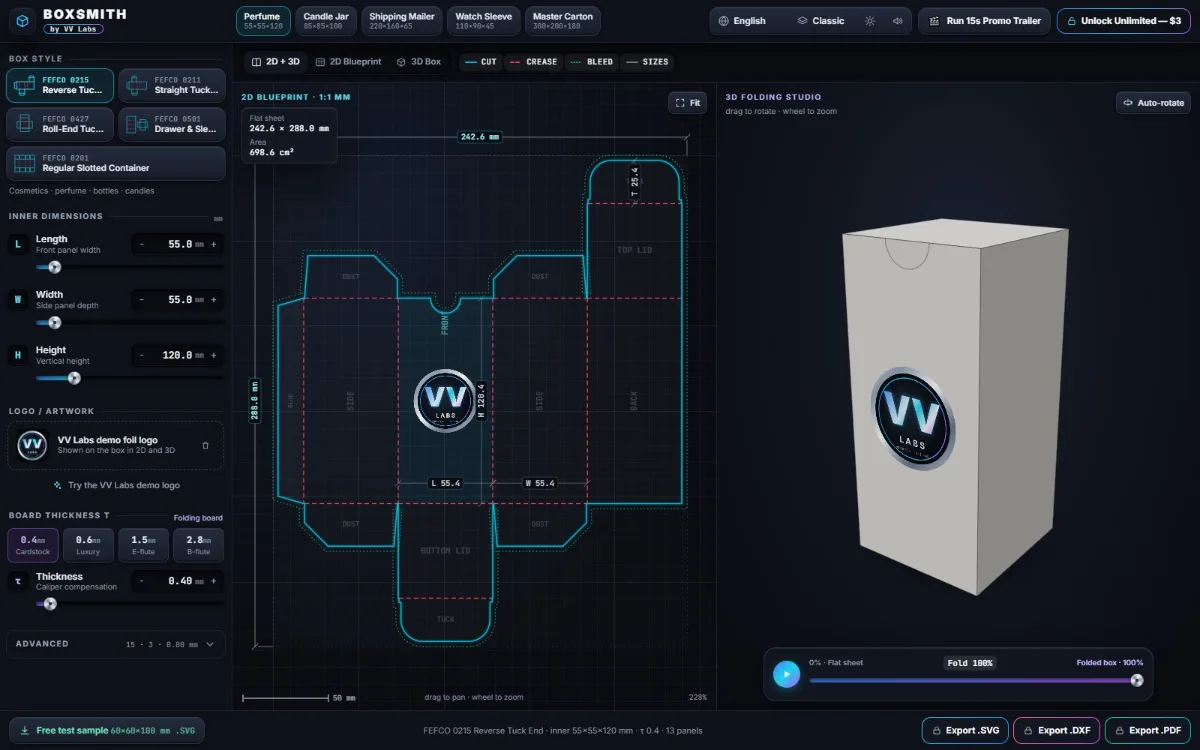
Choose the box style
Box styles have standard codes from the FEFCO code, which print shops and converters understand:
Style Best for 0215 Reverse tuck end Cosmetics, perfume, bottles, candles 0211 Straight tuck end Presentation and gift boxes 0427 Roll-end tuck mailer E-commerce shipping and unboxing 0501 Drawer & sleeve Watches, jewellery, premium gifts 0201 Regular slotted container Shipping cartons -
Measure the inside size
Measure your product's length, width and height, then add 1–2 mm of clearance to each so it slides in. These are the inner dimensions — the space inside the finished box.
-
Enter the board thickness
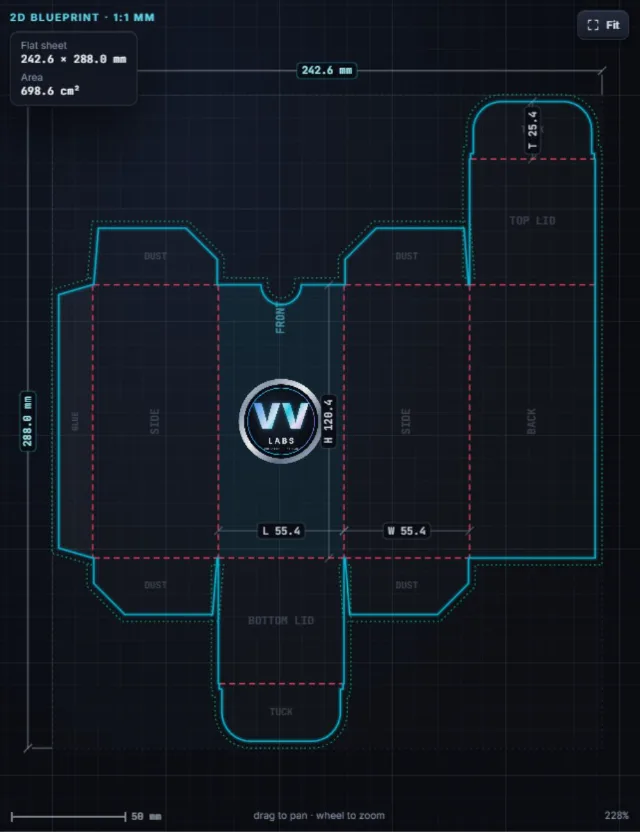
Every 90° fold uses up roughly one board thickness (τ). Measure your board with a caliper and enter it; typical values are 0.4 mm card, 0.6 mm luxury board, 1.5 mm E-flute and 2.8 mm B-flute. BoxSmith then applies the allowances for you:
Allowance Value Why Panel growth +τthe box closes to its inner size Dust flap setback 1.25τflaps clear the side walls Roll-over clearance 2τdouble walls nest flat Glue flap taper 15° + τno bulge at the top crease -
Check the fold in 3D
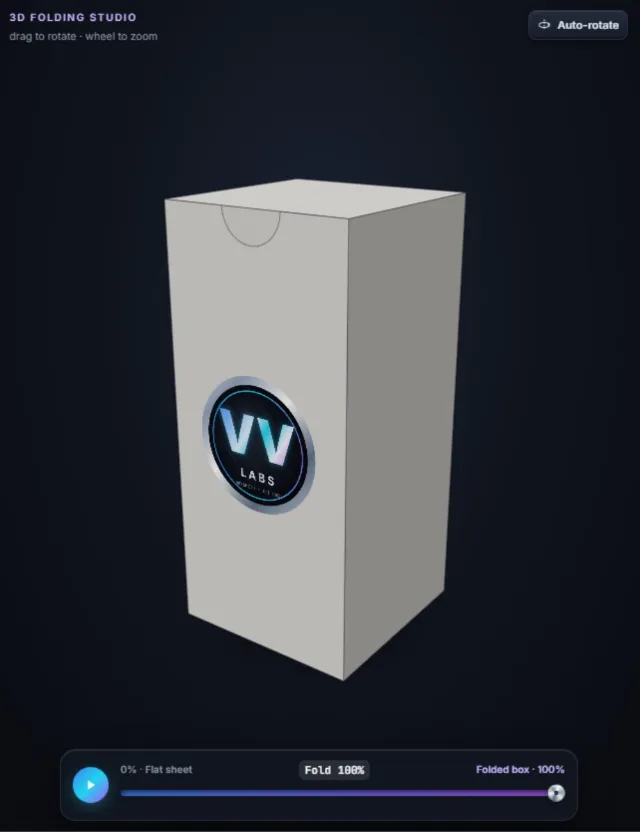
Drag the fold slider from 0 % (flat sheet) to 100 % and rotate the box. You can see each flap close, spot a tuck that would hit something, and check where your logo lands on the front.
-
Verify 1:1 scale before cutting
Download the free 60×60×100 mm sample and open it in Illustrator, Inkscape or LightBurn: the front panel must measure exactly 60.4 mm (60 mm inside + 0.4 mm board). If you print the PDF, choose 100 % / Actual size and measure the 50 mm bar in the title block.
-
Export and cut
Laser cutter or Cricut: export SVG or DXF. Assign the
CUTlayer to a full cut and theCREASElayer to scoring or a low-power pass. Print shop: export the PDF; it includes theBLEEDlayer, so print colour runs past the cut line. -
Fold and glue
Pre-fold along every crease first. Glue the side seam onto the glue flap, let it set, then close the tucks or flaps.
Make yours now
BoxSmith runs in your browser and your files never leave your device. The studio and the test sample are free; unlimited SVG, DXF and PDF exports cost $3 once.
Open the BoxSmith studio →